Drop your SVG here or click to select
Edit SVG files in your browser
Upload an SVG and edit it right on the page, with nothing to install: paint shapes a new color with the brush, pick colors with the eyedropper, add gradients or erase parts. Reduce colors merges similar colors, down to as few as two, which helps with cut files and screen prints. Remove background finds the background shapes with AI and hides them, and you download the edited SVG when you're done.
Our SVG Tools
SVG Editor
Full-featured SVG editing tools
SVG Background Remover
Remove or make backgrounds transparent
SVG Optimizer
Optimize and compress SVG files
SVG Color Editor
Edit and adjust colors in your SVG files
AI Image Vectorizer
Convert images to SVG with AI
AI T-Shirt Designer
Create your own t-shirt designs with AI
PNG to SVG with AI
Convert PNG images to SVG with AI
JPG to SVG with AI
Convert JPG images to SVG with AI
WEBP to SVG with AI
Convert WEBP images to SVG with AI
SVG to PNG Converter
Convert SVG files to high-quality PNG format
SVG to JPG Converter
Transform SVG files into JPG/JPEG format
SVG to WebP Converter
Convert SVG to WebP
SVG to PDF Converter
Make a vector PDF from an SVG, in your browser
SVG to ICO & Favicon
Make a favicon.ico and favicon pack from an SVG
Coloring Page with AI
Create a coloring page with AI
Vector Avatar with AI
Create a vector avatar with AI
Get started with a few easy steps
Create your own vector art with our AI engine
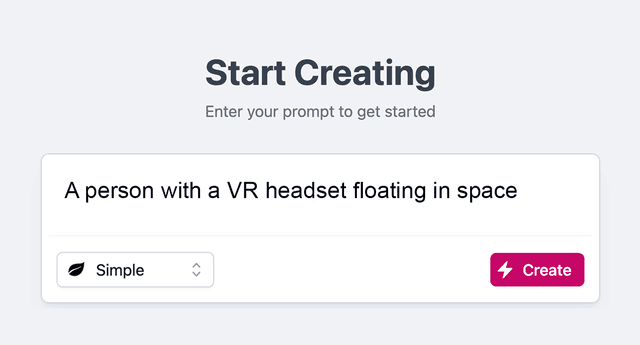
- 1.Type a Prompt
Type in a description of your desired image. Enter as many details as you can to help the AI figure out what you want.
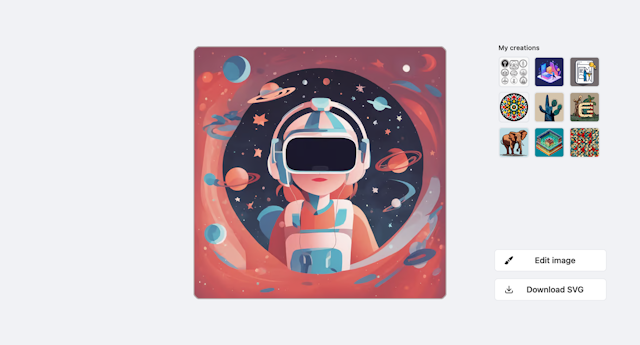
- 2.Press Create
Watch our AI engine create your vector graphic. Hang in there, it takes a few seconds.
- 3.Download
Download the image to your local disk. Your SVG file can be scaled to any size and still look amazing!